
Step 1
Login to your account
Go to the login page and enter your email and password.

Follow the step-by-step tutorials to redeem your keys on the main platforms. After revealing the code, hit "Activate" to jump straight to the official redemption page.
After revealing the key, you can view it in your account under the "My Orders" tab.
Step 1
Go to the login page and enter your email and password.
Step 2
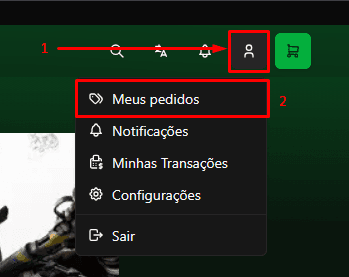
Click on the "My Orders" tab to view your orders.
Step 3
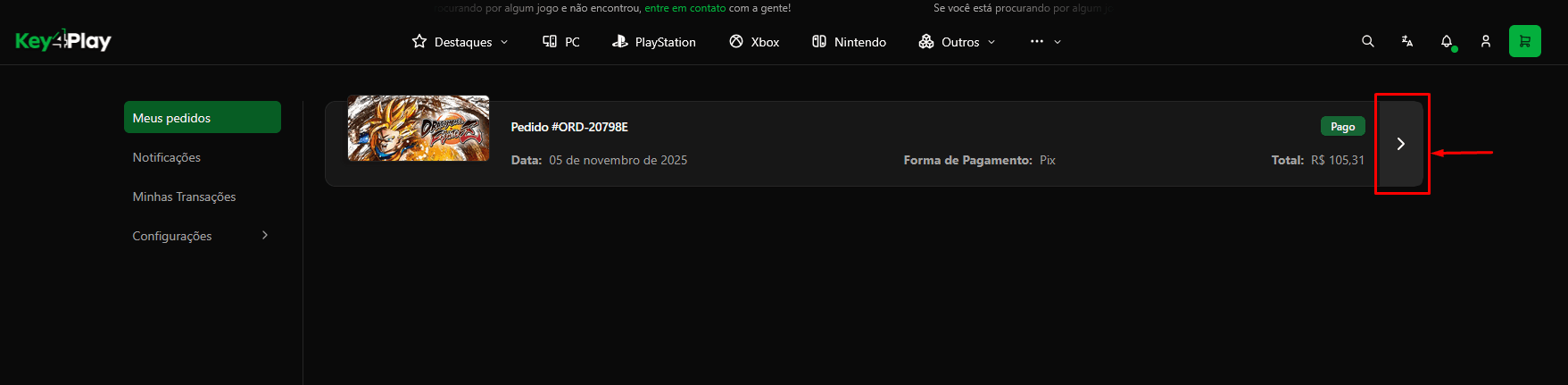
The key will be displayed in the order details.
Step 4
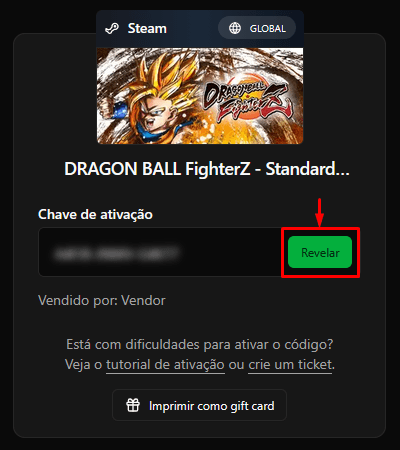
Click on the "Reveal" button to reveal the key.
Step 5
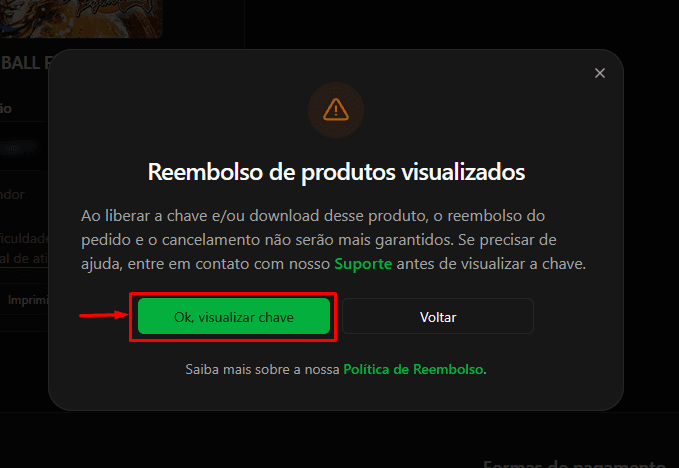
Click on the "Ok, reveal key!" button to confirm the action.
Step 6
After confirming the action, the key will be displayed. Now you can copy the key and paste it into the desired platform to activate it.
