Step 1
Install and launch Steam
Download the Steam client at https://store.steampowered.com/about/, install it and sign in with the account you want to redeem the game on.
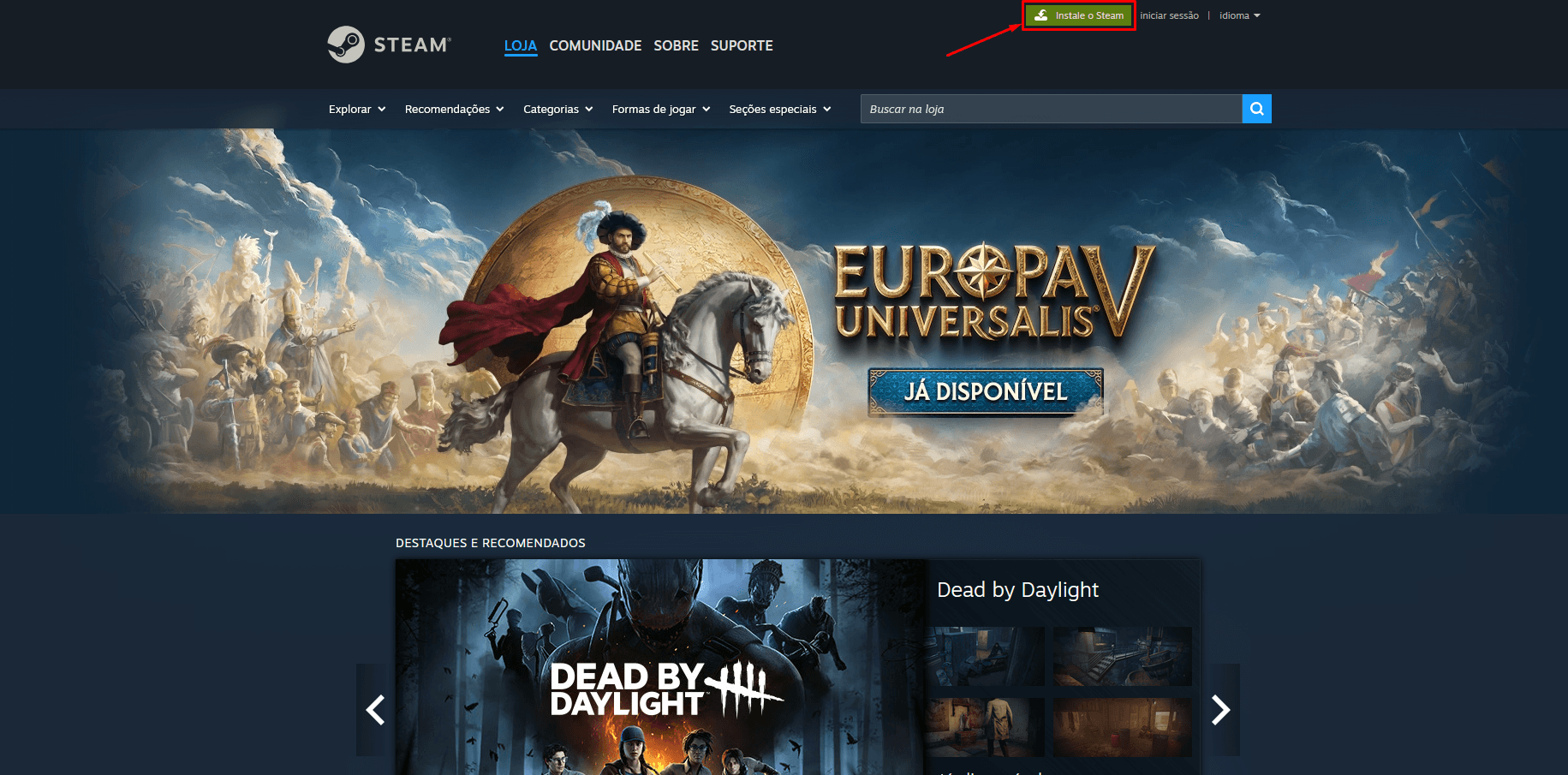

Redeem games, DLCs and gift cards through the Steam client or your browser.
Step 1
Download the Steam client at https://store.steampowered.com/about/, install it and sign in with the account you want to redeem the game on.
Step 2
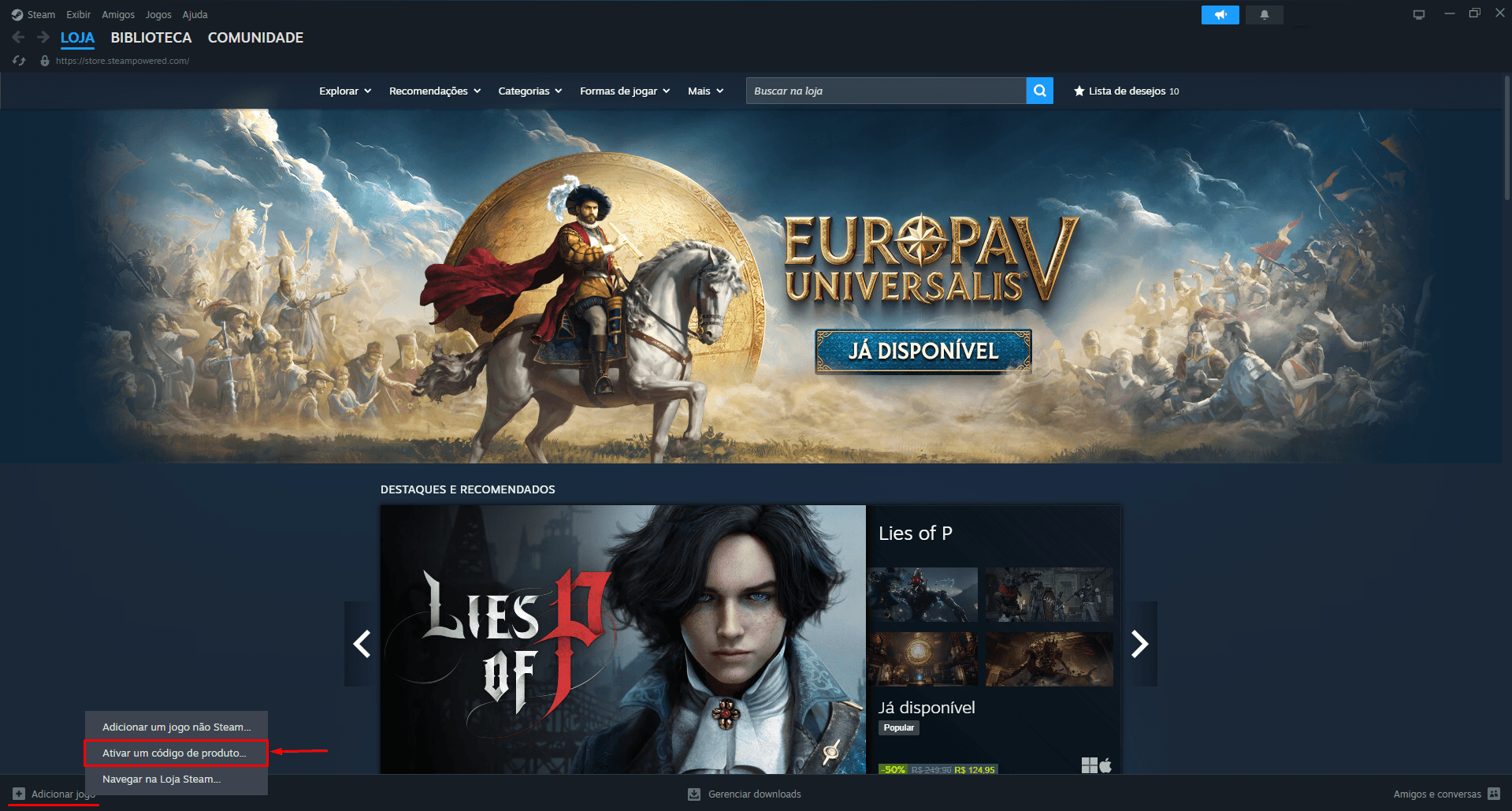
At the bottom-left corner choose “Add a Game” and then pick “Activate a Product on Steam”.
Step 3
In the Product Activation window click “Next”, accept the Steam Subscriber Agreement by pressing “I Agree” and continue.
Step 4
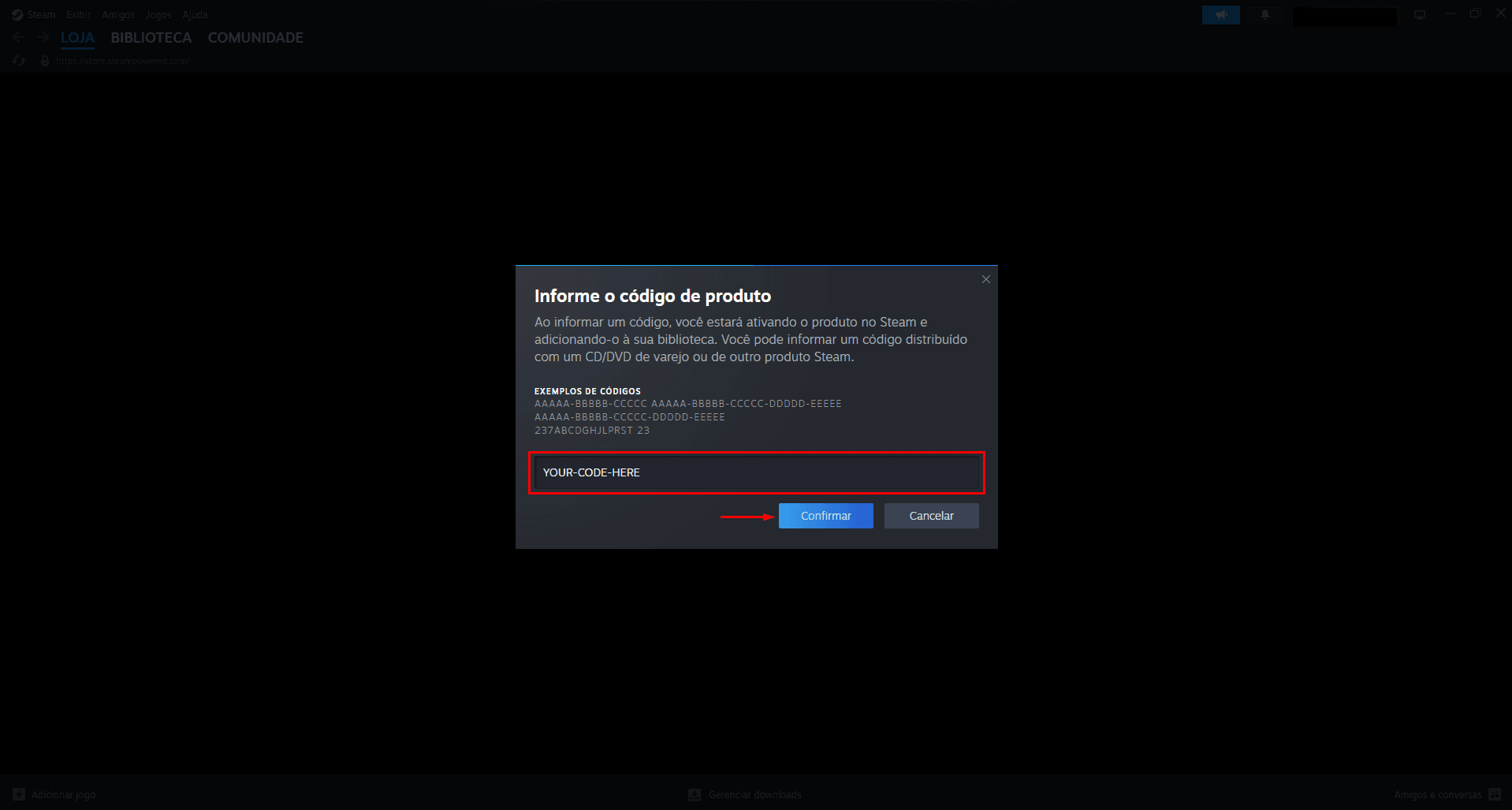
Copy the revealed code, paste it into the “Product Code” field and click “Next”. The game is instantly added to your Library.
Pro tip:Inside the Steam app go to Games > Activate a Product on Steam to redeem directly from the client.