Step 1
Visit redeem.microsoft.com
Click "Go to Microsoft" and sign in with the same account you use in the Microsoft Store or on Windows.

Redeem software, Windows games and memberships directly in the Microsoft Store.
Step 1
Click "Go to Microsoft" and sign in with the same account you use in the Microsoft Store or on Windows.
Step 2
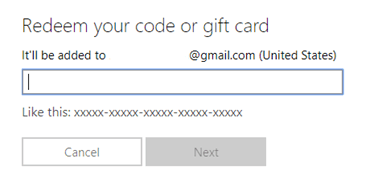
The "Code or gift card" field automatically receives your key. Review the characters and press "Next".
Step 3
Check the product and account shown on the screen, then click "Confirm" to finish. The content becomes available instantly.
Important:If a region error appears, make sure the product supports your Microsoft account country.