Step 1
Install and launch Battle.net
Download the official client at https://download.battle.net/desktop, install and sign in with the account you want to redeem the game on.

Activate your games, DLCs and gift cards in the official Battle.net client.
Step 1
Download the official client at https://download.battle.net/desktop, install and sign in with the account you want to redeem the game on.
Step 2
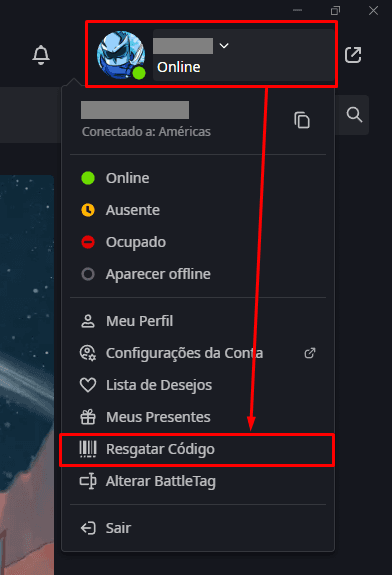
In the top right corner, click on the profile icon and select "Redeem code".
Step 3
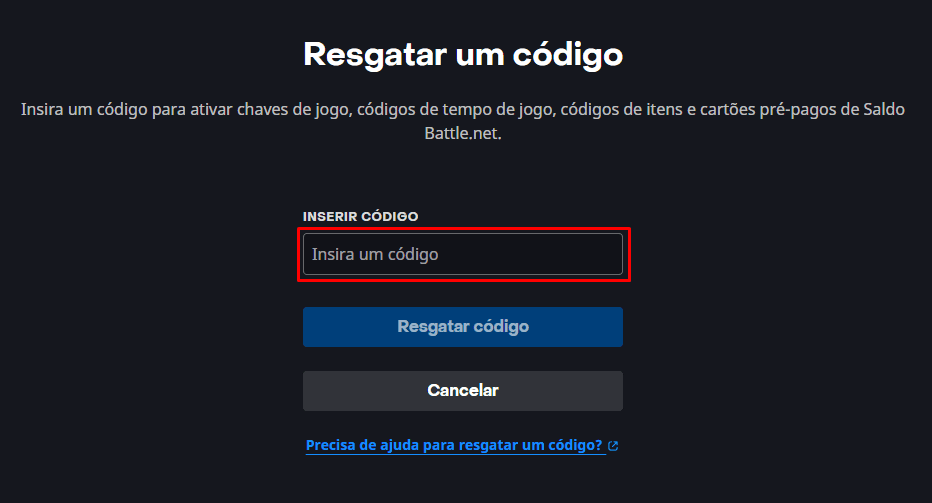
Type the code in the specified field and click "Redeem code", after confirmation, the item will be added to your library automatically.