Step 1
Install and open the Epic Games
Download the official client at https://www.epicgames.com/store/en-US/, install and sign in with the account you want to redeem the game on.

Activate your games, DLCs and gift cards in the official Epic Games client.
Step 1
Download the official client at https://www.epicgames.com/store/en-US/, install and sign in with the account you want to redeem the game on.
Step 2
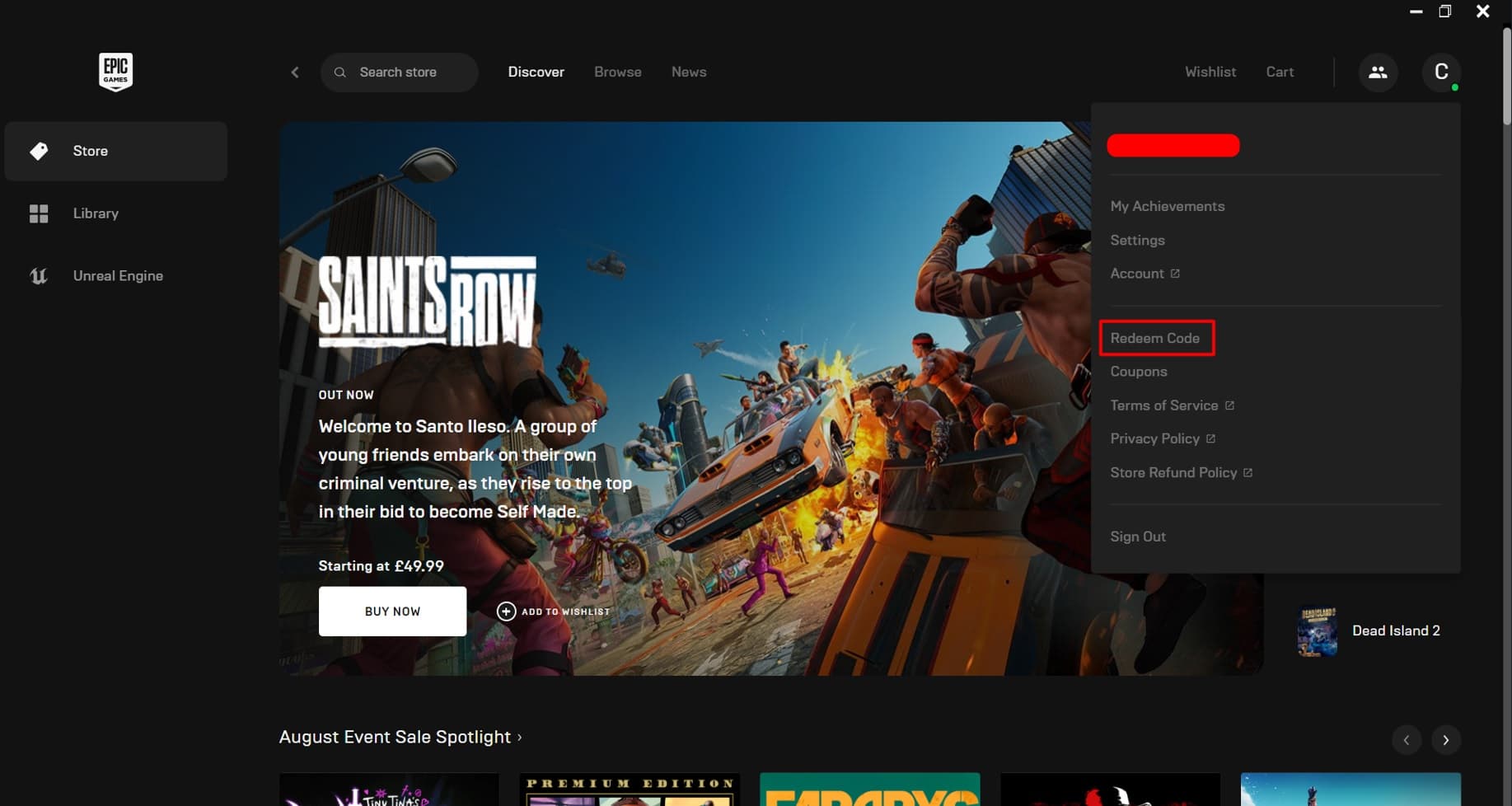
In the top right corner, click on the profile icon and select "Redeem a code".
Step 3
In the redemption page, enter the revealed code and click "Redeem". The game will be available in your Library.