Step 1
Open the main menu
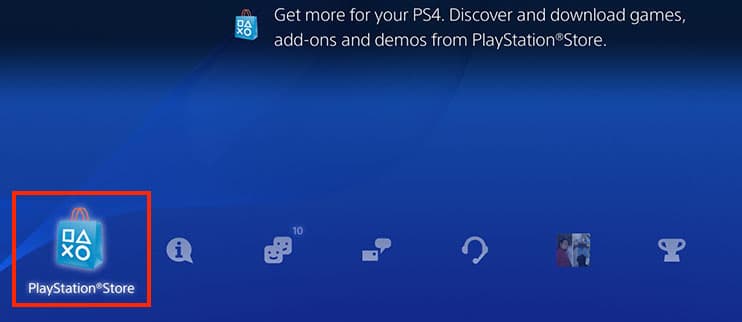
On the controller press the PlayStation button and open the PlayStation Store.

Use your PlayStation console (PS4/PS5) to redeem games and memberships in a few simple steps.
Step 1
On the controller press the PlayStation button and open the PlayStation Store.
Step 2
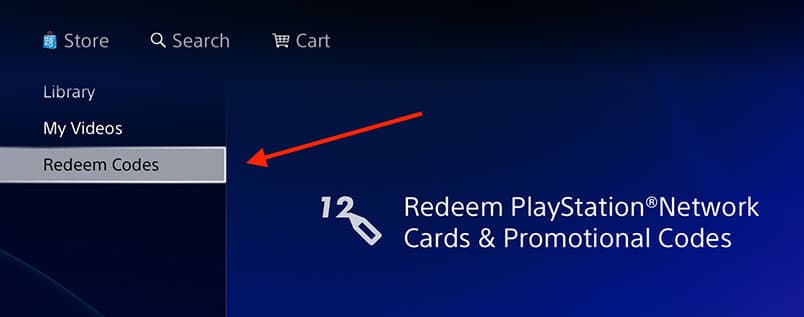
Access the "Store" tab, open the side menu (Show button) and select "Redeem Codes"
Step 3
Type the 12 characters using the on-screen keyboard or the PlayStation mobile app. Make sure there are no extra spaces.
Step 4
Review the product displayed and click "Continue" to finish. The item will be added to your library automatically.
Browser alternative:If you prefer, visit https://www.playstation.com/redeem with the same PlayStation account and redeem it online.