Step 1
Install and launch Ubisoft Connect
Download the official client at https://ubisoftconnect.com, install and sign in with the account you want to redeem the game on.

Activate your games, DLCs and gift cards in the official Ubisoft Connect client (formerly known as UPlay).
Step 1
Download the official client at https://ubisoftconnect.com, install and sign in with the account you want to redeem the game on.
Step 2
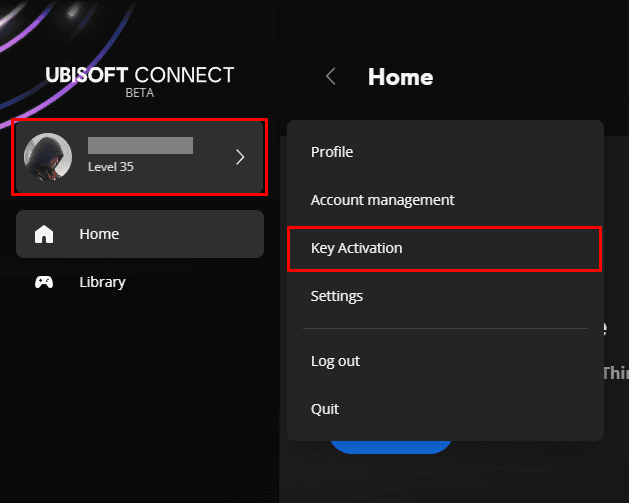
In the top left corner click on the profile icon and select the "Key Activation" option.
Step 3
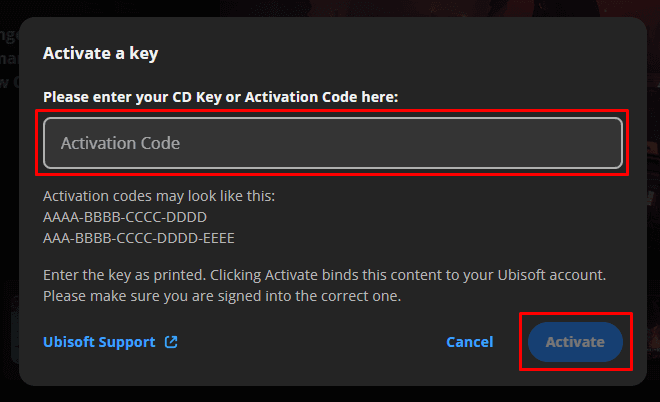
Type the code in the specified field and click "Activate", after confirmation, the item will be added to your library automatically.