Step 1
Open the Xbox app on your PC
Open the Xbox app on your PC and sign in with the same account you use on the Xbox console.

Use your PC to redeem games and memberships in a few simple steps.
Step 1
Open the Xbox app on your PC and sign in with the same account you use on the Xbox console.
Step 2
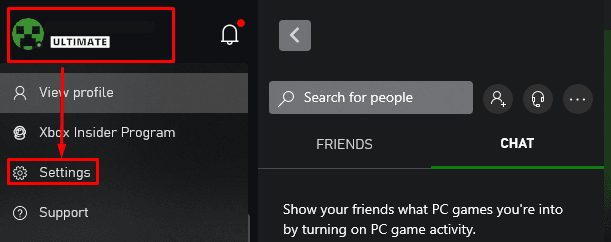
Click on your profile in the top right corner and select "Settings"->"Account"
Step 3
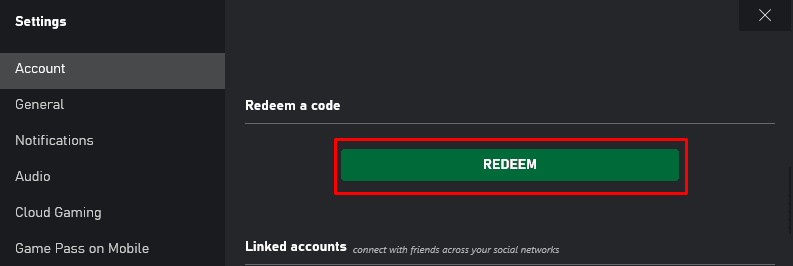
In the account settings page, in the "Redeem a code" section, click the "Redeem" button
Step 4
Type the 25 characters using the on-screen keyboard or the Xbox mobile app. Make sure there are no extra spaces.
Step 5
Review the product displayed and click "Next" to finish. The item is added to your library automatically.