Step 1
Sign in to the Rockstar Games Launcher
Open the Rockstar Games Launcher (download it at https://socialclub.rockstargames.com/rockstar-games-launcher) and sign in with your Social Club account or create a new one.

Redeem your codes through the Rockstar Games Launcher or directly on the Rockstar Social Club website.
Step 1
Open the Rockstar Games Launcher (download it at https://socialclub.rockstargames.com/rockstar-games-launcher) and sign in with your Social Club account or create a new one.
Step 2
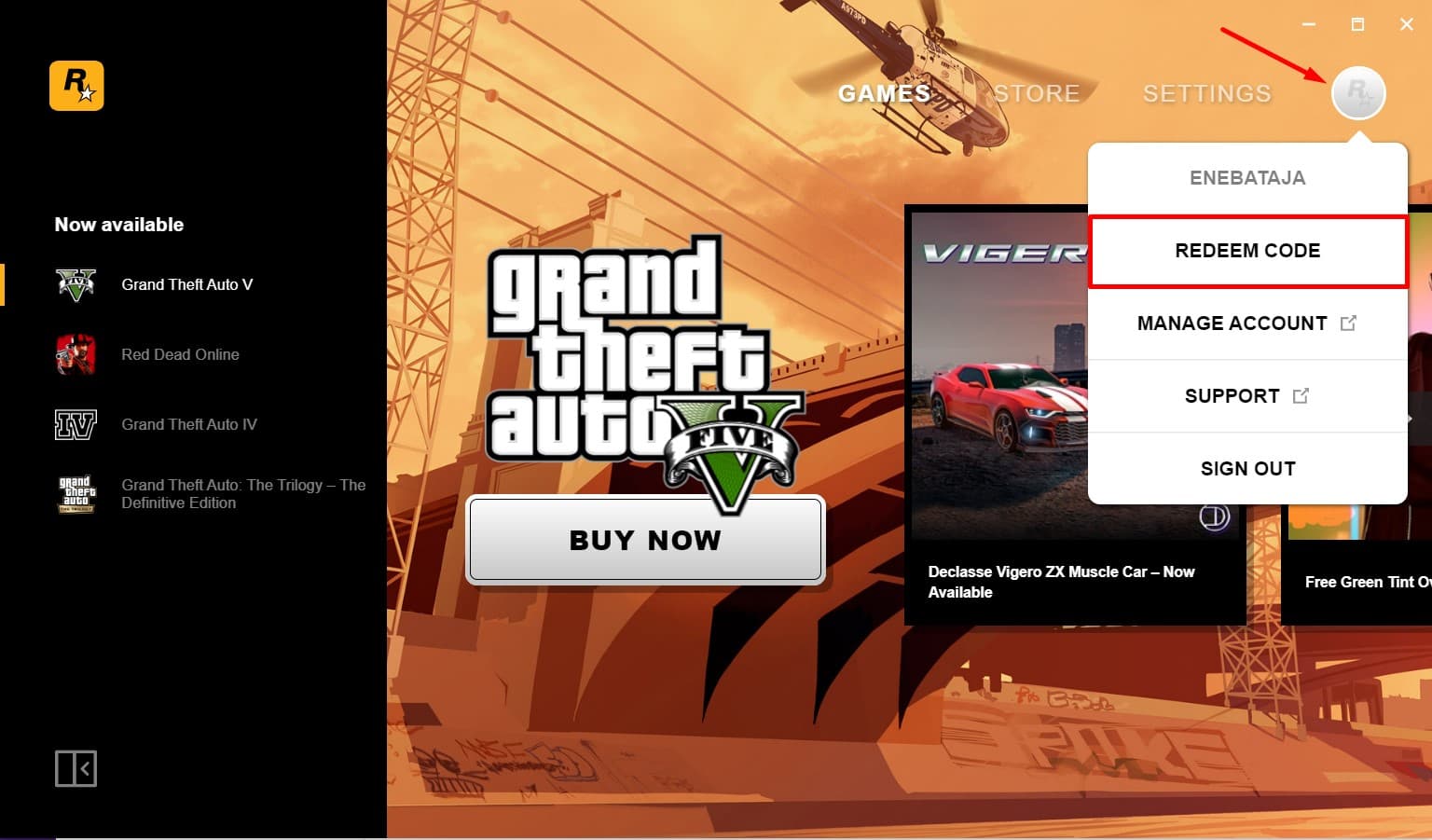
Click the profile icon in the top-right corner of the launcher and select the "Redeem Code" button that appears in the shortcut menu.
Step 3
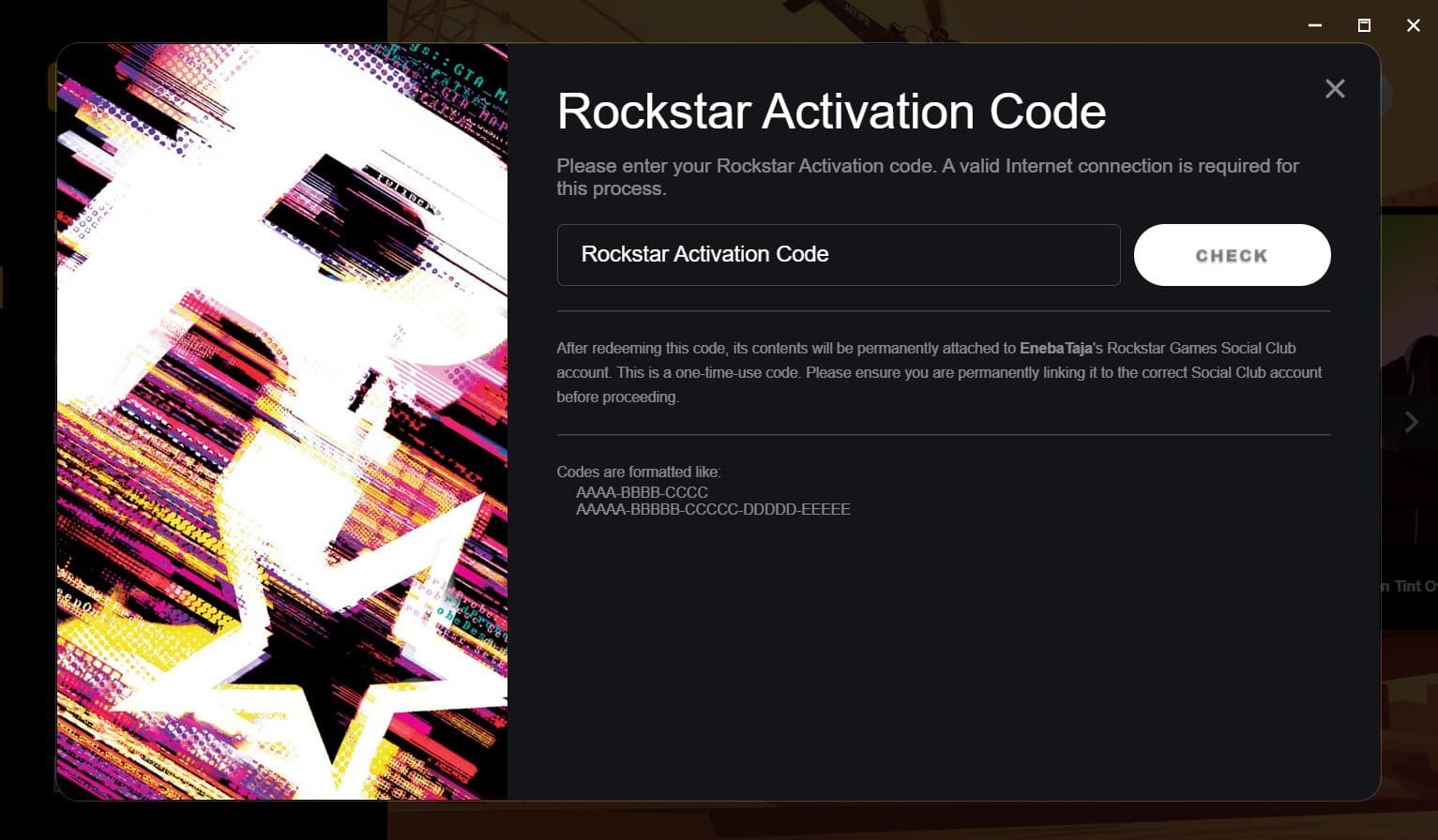
The Rockstar Code activation window pops up. Paste the key you revealed into the field and press the "Check" button to validate it.
Step 4
Wait for the confirmation message and the content is instantly linked to your Social Club account, appearing in the library or owned games tab.
Prefer the website?:Sign in at https://socialclub.rockstargames.com, click the "Use Rockstar Code" button of any product page, paste your code and press "Activate" — the same redemption window opens in your browser.